Private.
On your wrist.
Closeness is a private log for adults, built like a workout app. Press START, see your time and heart rate, finish when you are done. Sessions, partners and stats stay on your watch.
One-time purchase, 4 USD in the Connect IQ Store. No subscription. 18+.
Two presses to start. One to hide.
Start
Pick Solo, a partner label or a group, then press START. No PIN stands in the way of starting.
Hide
Press BACK and the screen shows only the time and date, like a plain watch face. The session keeps counting.
Save
Finish, and the session is saved on the watch: duration, average and maximum heart rate, estimated calories.
On the watch. Encrypted. Nowhere else by default.
Your whole log
- Sessions, partners, history and stats
- Sessions and partners encrypted (AES-256)
- Optional 4 or 6 digit PIN for history, stats and partner details
Nothing, unless you ask
- Off by default
- If you turn on the copy before a session, you can save it as a plain "Cardio" activity
- No partner labels, no notes, no app fields
No internet at all
- No internet (Communications) permission
- No account, no cloud, no phone settings
- No analytics in the app or on this site
A log, not a leaderboard.
- Live session screen. Big timer, heart rate, estimated calories. A simple page with only the time, if you prefer.
- Solo, partner or group. Partners are short labels like A or B with a colour, created on the watch. Names never leave it.
- History by month. Add a session you did not time, edit or delete any entry.
- Stats for week, month, year and all time. Count, total and average time, heart rate, weekly streak, calendar, days of the week and time of day.
- No rankings. No percentages between partners, no red and green arrows, no daily streak to keep alive.
- Show screen. One session, its time and a partner label, to show on your wrist. Nothing else from your history.
- Optional tags, off by default. How it was (1 to 5) and protection used.
- Buttons and touch. START and BACK are enough on every supported watch.
What it looks like
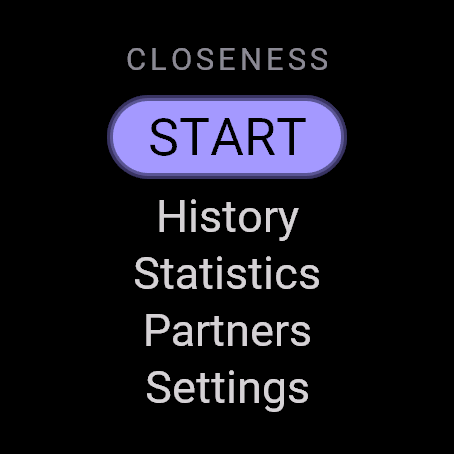
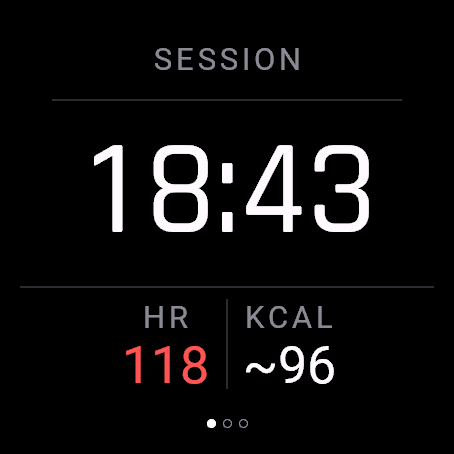
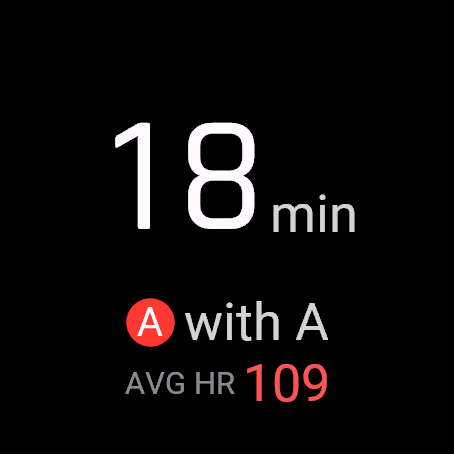
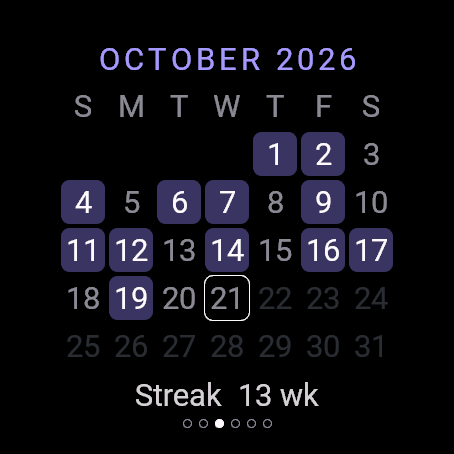
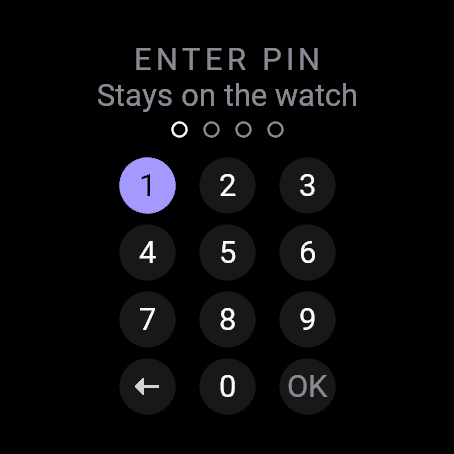
Simulator screens, fēnix 8 47 mm AMOLED.
The honest part.
- Your Garmin watch records all-day heart rate, stress and Body Battery anyway. Those charts in Garmin Connect can show a rise at the time of a session. No app can change that.
- There is no backup and no export. Uninstalling or reinstalling the app deletes your history.
- If you forget your PIN, you can reset the history. Partners and settings stay.
- Calories are an estimate from heart rate, weight and age. Closeness is not a medical device.
- Garmin lets you return a paid app within 48 hours of purchase. That is why there is no trial.
More in the FAQ and on the privacy help page.
AMOLED and modern colour MIP Garmin watches: fēnix 7, 8 and 9, epix, Enduro 3, Forerunner 165 to 970, Venu, vívoactive 5 and 6, Instinct 3 AMOLED, MARQ Gen 2.
Log only what everyone agreed to.
Closeness is a private wellness log for consensual adult sessions. It keeps time and heart rate. It does not judge, rank or share.
One-time purchase, 4 USD, paid through Garmin. No subscription.